


 Send Inquiry
 Send SMS
 Call Me Free
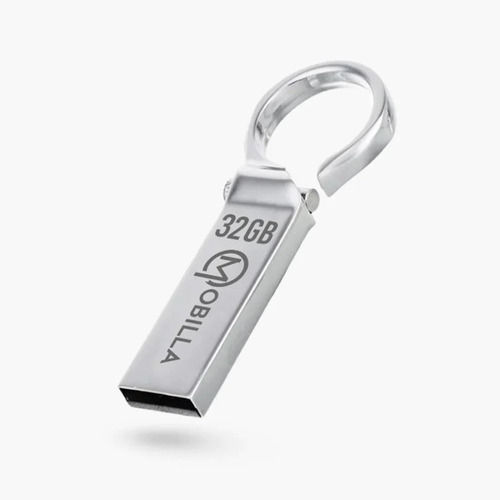
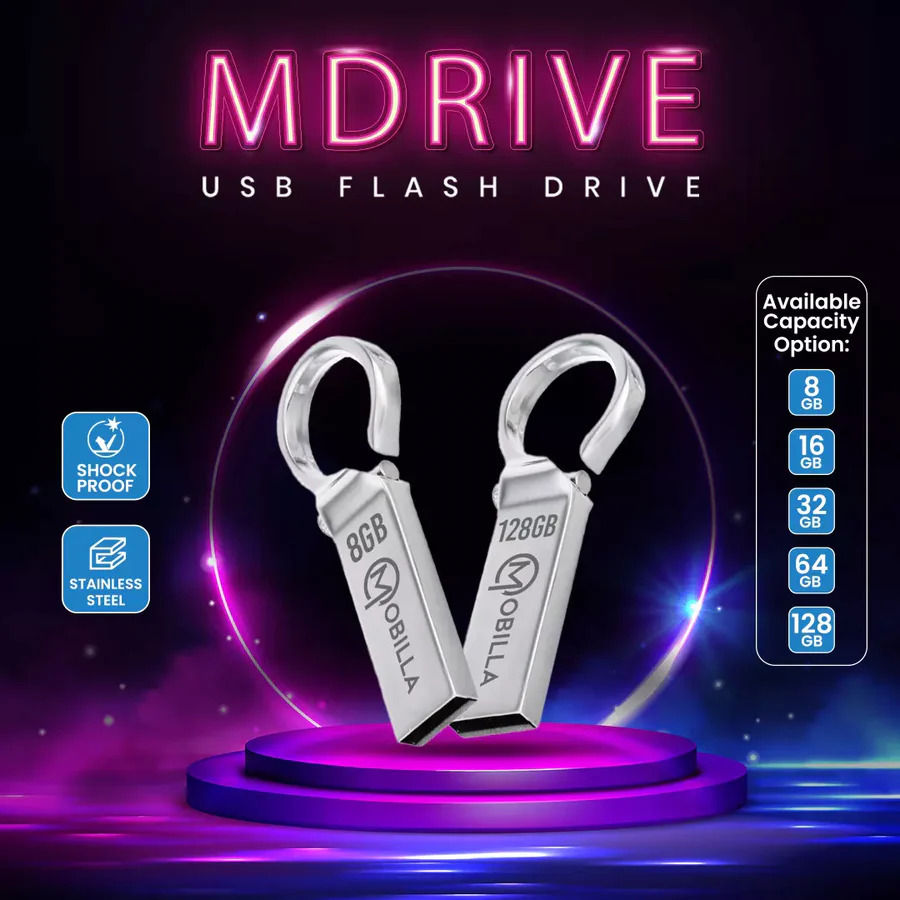
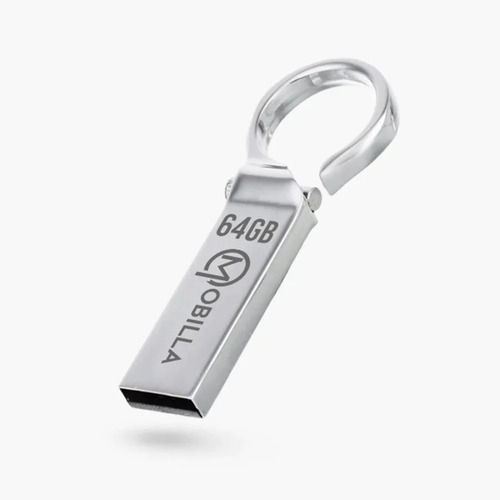
MDRIVE 32GB
749 INR/Number
Product Details:
- Memory Size 32GB
- Size Standard USB Size
- Water Resistance NO
- Screen No
- Port Type USB 2.0
- Part Type USB Flash Drive
- Operating System Windows, Mac, Linux compatible
- Click to View more
X
MDRIVE 32GB Price And Quantity
- 749 INR/Number
- 1 Number
MDRIVE 32GB Product Specifications
- No
- No
- USB 2.0
- 32GB
- USB Flash Drive
- USB
- Sleek, Compact
- No
- MDRIVE 32GB
- Windows, Mac, Linux compatible
- Black
- 32GB
- 1
- No
- Approx 12g
- USB Flash Drive
- No
- Plug & Play, Durable, Portable
- Plastic
- 32GB
- No
- Standard USB Size
- NO
- Up to 8 MB/s
- Laptops, Desktops, Smart TVs, Car Audio Players
- 0C to 60C
- Yes
- Up to 18 MB/s
- Yes
- -20C to 85C
- Approx. 54mm x 18mm x 8mm
MDRIVE 32GB Trade Information
- 1000 Number Per Month
- 7 Days
Product Description
Safely and securely carry your data with you wherever you go using MDrive. It is a flash drive built using stainless steel and shockproof material.
Hardware interface: USB 2.0.
Connectivity type: Plug and Play.
Read speed: 14mbps.
Built material: Durable material.
Effortless Connectivity
With plug-and-play functionality, the MDRIVE 32GB connects easily to a range of devices via a standard USB 2.0 port. There's no need to install software or drivers-simply insert the flash drive into any compatible port and start transferring files instantly. Its compatibility with major operating systems streamlines data access across platforms.
Reliable and Portable Storage
Engineered for durability, the MDRIVE 32GB features a robust plastic body and shock-proof design, safeguarding your data against everyday bumps. Its small, lightweight form factor fits easily into your pocket or bag, providing convenient storage for documents, photos, music, and videos wherever you go.
FAQ's of MDRIVE 32GB:
Q: How do I use the MDRIVE 32GB flash drive on my computer?
A: Simply insert the MDRIVE 32GB into an available USB port on your laptop, desktop, or compatible device. It will be recognized automatically, allowing you to drag and drop files for quick data transfers.Q: What types of devices are compatible with this USB flash drive?
A: The MDRIVE 32GB is compatible with laptops, desktops, smart TVs, and car audio players. It supports operating systems such as Windows, Mac, and Linux, ensuring versatile usage across various platforms.Q: When is it safe to remove the flash drive from a device?
A: Always ensure that all file transfers are complete and safely eject the MDRIVE 32GB from your device before physically removing it. This helps prevent data corruption or loss.Q: Where can I store the MDRIVE 32GB when not in use?
A: Due to its compact size and durable build, you can conveniently store the MDRIVE 32GB in your pocket, bag, or a dedicated storage case. Keep it dry and avoid exposing it to extreme temperatures above 85C or below -20C.Q: What is the process for transferring files using MDRIVE 32GB?
A: After plugging the MDRIVE 32GB into your device, open the flash drive folder, then copy and paste or drag and drop files between the drive and your device's storage as needed.Q: What benefits does the MDRIVE 32GB offer over other storage options?
A: Its portable, shock-proof design ensures reliable data protection, while the plug-and-play feature and broad compatibility make it exceptionally convenient for transferring files on the go.Tell us about your requirement

Price:
Quantity
Select Unit
- 50
- 100
- 200
- 250
- 500
- 1000+
Additional detail
Mobile number
Email

Other Products in 'Pen Drive' category


Contact Details
MOBITECH INDUSTRIES LLP.
GST : 27ABFFM4237R1ZN
GST : 27ABFFM4237R1ZN

- 8, Ratan Bldg, 4th Floor, Near Gokul Shopping Centre, S.V.Road, Borivali (W), Mumbai - 400092, Maharashtra, India

- Phone : 08045815078

- Mr Jignesh M Shah
- Mobile : 08045815078
-
 Send Inquiry
 Send Inquiry
|


 |
MOBITECH INDUSTRIES LLP.
All Rights Reserved.(Terms of Use) Developed and Managed by Infocom Network Private Limited. |
