


 Send Inquiry
 Send SMS
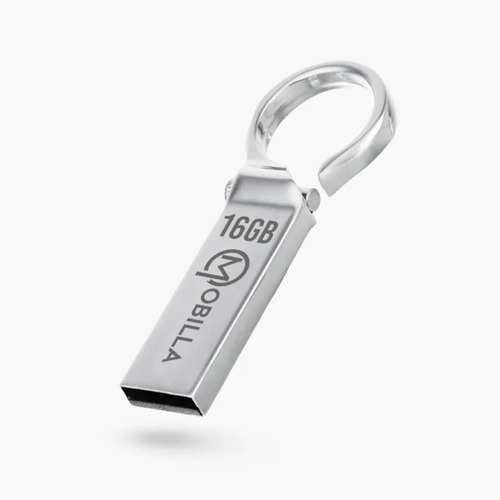
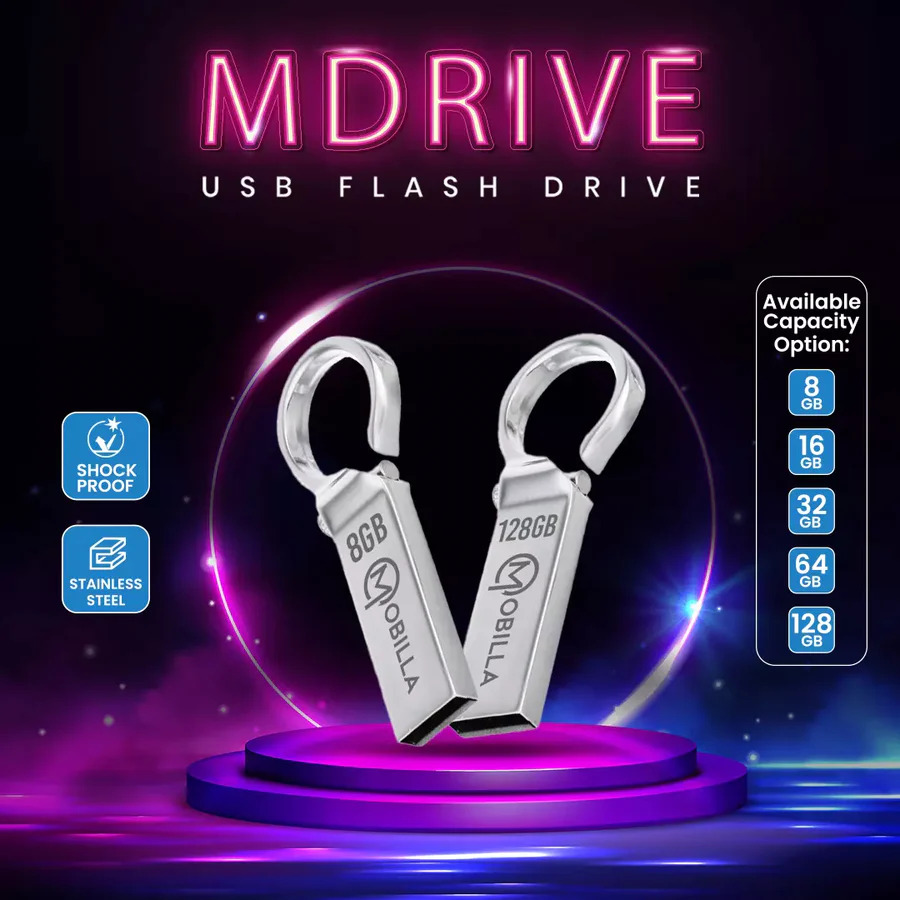
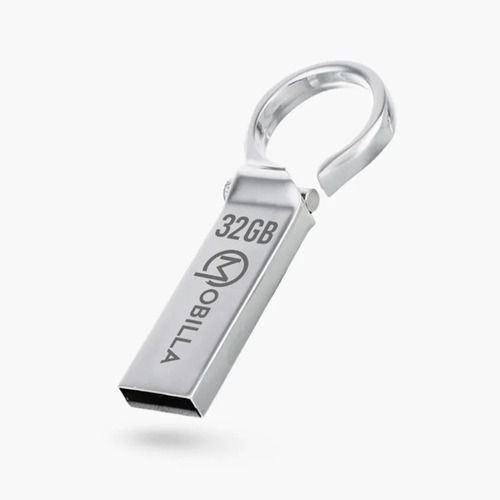
MDRIVE 16GB
549 INR/Number
Product Details:
- Screen No
- No Of Ports 1
- Operating System Compatible with Windows, Mac OS, Linux
- Accessories Type Flash Drive
- Connectivity Type USB
- Model MDRIVE 16GB
- Part Type USB Drive
- Click to View more
X
MDRIVE 16GB Price And Quantity
- 549 INR/Number
- 1 Number
MDRIVE 16GB Product Specifications
- No
- Plug and Play, Lightweight, Portable
- NO
- USB 2.0
- Data Storage
- Standard USB Size
- 16GB
- Approx 10g
- USB Drive
- No
- Plastic
- MDRIVE 16GB
- Compact Rectangle
- USB
- 16GB
- Compatible with Windows, Mac OS, Linux
- Flash Drive
- 1
- No
- 16GB
- Keyring Loop
- Black
- Up to 18 MB/s
- 0C
- 60C
- All generic data formats
- Approx 55 x 18 x 9 mm
- Yes
- No drivers required for most systems
- Up to 8 MB/s
- No
MDRIVE 16GB Trade Information
- 1000 Number Per Month
- 7 Days
Product Description
Safely and securely carry your data with you wherever you go using MDrive. It is a flash drive built using stainless steel and shockproof material.
Hardware interface: USB 2.0.
Connectivity type: Plug and Play.
Read speed: 14mbps.
Built material: Durable material.
Reliable and Efficient Data Storage
MDRIVE 16GB offers fast and secure storage with reading speeds up to 18 MB/s and writing speeds up to 8 MB/s. You can easily store documents, media files, or any generic data formats, ensuring your important files are always accessible. Its shock-proof, robust plastic body adds an extra layer of protection, making it a lasting digital companion for daily use.
Designed for Portability and Convenience
Crafted in a compact rectangular shape and finished in stylish black, the MDRIVE 16GB fits easily into pockets or bags. The addition of a keyring loop means you can attach it to your keys or lanyard, so it's always at hand. Weighing just 10g, this flash drive embodies lightweight efficiency, making data transfer on the go both easy and convenient.
FAQ's of MDRIVE 16GB:
Q: How do I use the MDRIVE 16GB USB drive?
A: Simply insert the MDRIVE 16GB into any available USB port on your computer or device. It is plug-and-play, which means most modern operating systems such as Windows, Mac OS, and Linux will recognize it automatically without needing additional drivers.Q: What are the benefits of the MDRIVE 16GB for data storage?
A: The MDRIVE 16GB provides reliable storage with fast reading and writing speeds and is compatible with all generic data formats. Its shock-proof, lightweight design and keyring loop offer durability and portability, making it easy to securely store and transfer files wherever you go.Q: When is the MDRIVE 16GB ideal to use?
A: The MDRIVE 16GB is ideal for daily data backups, transferring files between computers, or keeping essential documents on hand while traveling or commuting. Its durable build ensures your data is protected during regular movement and use.Q: Where can I use the MDRIVE 16GB flash drive?
A: You can use the MDRIVE 16GB on any device with a standard USB port, including computers, laptops, and some compatible smart devices. It works with most operating systems, making it versatile for office, study, or personal use.Q: What is the process for transferring files to and from the MDRIVE 16GB?
A: Once plugged into your device, open File Explorer (Windows) or Finder (Mac), locate the MDRIVE 16GB listed among your drives, and drag and drop your files to transfer them. To remove the drive, safely eject it from your system to protect your data.Q: Is any special software or driver required for the MDRIVE 16GB?
A: No, the MDRIVE 16GB is designed to work without special software or drivers on most systems. Just plug it in and start transferring your files right away.Tell us about your requirement

Price:
Quantity
Select Unit
- 50
- 100
- 200
- 250
- 500
- 1000+
Additional detail
Mobile number
Email

Other Products in 'Pen Drive' category

Contact Details
MOBITECH INDUSTRIES LLP.
GST : 27ABFFM4237R1ZN
GST : 27ABFFM4237R1ZN

- 8, Ratan Bldg, 4th Floor, Near Gokul Shopping Centre, S.V.Road, Borivali (W), Mumbai - 400092, Maharashtra, India

- Phone : 08045815078

- Mr Jignesh M Shah
- Mobile : 08045815078
-
 Send Inquiry
 Send Inquiry
|


 |
MOBITECH INDUSTRIES LLP.
All Rights Reserved.(Terms of Use) Developed and Managed by Infocom Network Private Limited. |
